The 5 Best Data Recovery Software Solutions in 2025: Restore Your Lost Files with Confidence
Data loss is a distressing experience that can strike anyone, from individual users to large enterprises. Whether it's due to accidental deletion, a formatting error, a system crash, or physical hardware failure, the loss of critical documents, cherished photos, or essential work files can be devastating. Fortunately, specialized data recovery software can often help you reclaim what was lost. This article explores the five best data recovery software solutions in 2025, providing you with an in-depth analysis of their features, strengths, and ideal use cases to help you navigate this critical decision.
A Quick Comparison: Top 5 Data Recovery Software at a Glance
Before delving into detailed reviews, the following table provides a high-level overview of our top five recommendations, helping you quickly compare their key attributes.
| Software | Best For | Supported File Systems | Free Version Limit | Starting Price |
|---|---|---|---|---|
| EaseUS Data Recovery Wizard | All-Round Performance & Ease of Use | FAT12/16/32, NTFS, exFAT, HFS+, APFS | 2GB free recovery- | $69.95 |
| Stellar Data Recovery | Complex Scenarios & Damaged Drives | FAT, exFAT, NTFS, HFS+, APFS | Not Specified | $59.99/year |
| Disk Drill | User-Friendly Interface & Data Protection | FAT, NTFS, HFS+, APFS | 500MB free recovery | $89 |
| Recuva | Simple, Quick Recovery for Budget-Conscious Users | FAT12/16/32, NTFS | Unlimited free recovery | $19.95 (Pro) |
| Ontrack EasyRecovery | Technical Users & Advanced Features | HFS, HFS+, FAT, NTFS, exFAT | 1GB free recovery- | $99/year |
In-Depth Reviews of the Top Data Recovery Solutions
1. EaseUS Data Recovery Wizard: The All-Round Champion
EaseUS Data Recovery Wizard consistently ranks as a top choice for both novice and experienced users due to its impressive balance of power and simplicity. It supports a wide array of file types and storage devices, from internal and external hard drives to SSDs, USB drives, and memory cards.

Key Strengths:
High Recovery Rate: The software is renowned for its high success rate in recovering data, with one report indicating a success rate as high as 97.53%.
Intuitive Interface: Its three-step process—select the drive, scan, and recover—guides users smoothly through the recovery process.
Comprehensive Scanning: It offers both quick and deep scan modes. The deep scan thoroughly searches for files in more complex data loss situations like formatting or partition loss.
Preview Functionality: Before recovery, you can preview files such as photos and documents, ensuring you're restoring the correct versions.
EaseUS provides a free version that allows you to recover up to 2GB of data, which is sufficient for testing its effectiveness with your specific data loss scenario. The professional version starts at $69.95.
2. Stellar Data Recovery: The Powerhouse for Complex Scenarios
Stellar Data Recovery is a comprehensive solution built to handle demanding data loss situations. It is particularly well-suited for recovering data from damaged or corrupted drives, encrypted drives, and even complex RAID arrays.

Key Strengths:
Advanced Recovery Algorithms: Stellar employs robust scanning engines capable of piecing together data from severely compromised drives-.
Disk Imaging: This critical feature allows you to create a sector-by-sector copy of a failing drive. You can then perform recovery operations on the image, preventing further stress or damage to the original physical drive.
Broad File System Support: It supports all major file systems, including those used by both Windows and macOS, making it a versatile cross-platform tool.
Specialized Recovery Options: Stellar offers tailored recovery modes for different file types, such as photos, videos, and documents, which can improve recovery accuracy.
With a starting price of $59.99 per year for the standard version, Stellar is a solid investment for users who need advanced capabilities beyond basic file recover.
3. Disk Drill: The User-Friendly Choice with Extra Protection
Disk Drill wins users over with its clean, modern interface and a suite of additional tools that go beyond simple data recovery. It is a versatile application available for both Windows and Mac, with consistent functionality across platforms.
Key Strengths:
Excellent User Experience: The interface is intuitively designed, clearly presenting recoverable files and organizing them by type for easy browsin.
Data Protection Tools: Unique features like Recovery Vault help guard against future data loss by keeping extra metadata for deleted files-.
Multiple Scan Modes: It provides various recovery methods, including quick scan and deep scan, ensuring it can handle different data loss situations.
Additional Utilities: Disk Drill includes free tools for disk health monitoring, duplicate file finding, and drive cleanup, adding significant value.
The free version of Disk Drill allows for the recovery of up to 500MB of data. The full-featured professional version is a one-time purchase of $89.
4. Recuva: The Best Free and Simple Solution
For users with straightforward needs and a tight budget, Recuva is an unbeatable option. Developed by the reputable team at Piriform (the creators of CCleaner), its primary advantage is a completely free version with unlimited data recovery.
Key Strengths:
Truly Free Core Features: The standard version offers unlimited data recovery at no cost, making it ideal for recovering recently deleted files from hard drives, USB sticks, and SD cards.
Simplicity and Speed: Recuva is lightweight and fast. Its quick scan mode can locate recently deleted files in minutes.
Secure Overwrite: For privacy-conscious users, Recuva includes a tool to permanently and securely delete files, making them unrecoverable by any software.
While its interface may seem less modern than its competitors and it lacks some advanced features, Recuva is perfectly suited for simple data recovery tasks. A professional version is available for $19.95, which adds virtual hard drive support and automatic updates.
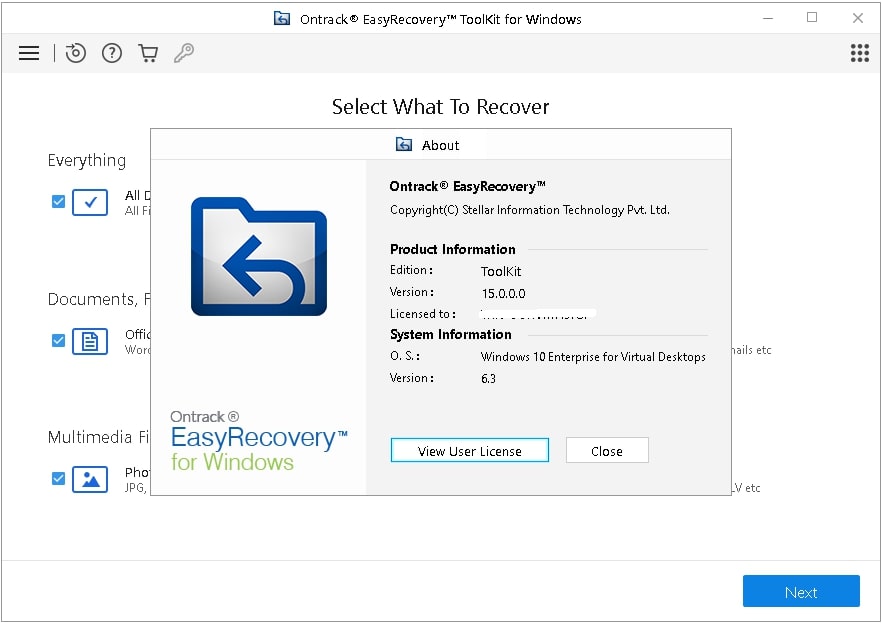
5. Ontrack EasyRecovery: The Technical Expert's Tool
Ontrack EasyRecovery is a professional-grade software that excels in complex data recovery scenarios. Backed by a company with decades of experience in the data recovery industry, this tool offers depth and power for technically adept users.
Key Strengths:
Comprehensive Feature Set: It includes advanced options like creating disk images, recovering data from CDs/DVDs, and reconstructing damaged RAID arrays in its higher-tier versions.
Flexible Scanning: EasyRecovery provides both quick and deep scans, and it allows you to pause and resume recovery sessions, which is very useful for large drives.
Wide Format Support: The tool can handle over 1000 file types and works with a vast range of storage devices and file systems.
File Repair Tools: The premium versions include built-in capabilities to repair corrupted video and photo files after recovery.
Ontrack EasyRecovery offers a free version with a 1GB recovery limit. Its paid versions, such as the Home edition, start at around $99 per year, making it a premium choice justified by its advanced capabilities.
Critical Factors for Choosing the Right Software
Selecting the best software involves more than just comparing prices. Consider these factors to make an informed choice:
Your Data Loss Scenario: For simple accidental deletion, a free tool like Recuva may suffice. For formatted drives, partition loss, or corrupted data, you will need more powerful software with a deep scan feature, like EaseUS or Stellar.
The Storage Device: Ensure the software supports the file system of your drive (e.g., NTFS for Windows, APFS for modern Macs) and the device itself (SSD recovery can be different from HDD recovery).
Your Technical Comfort: If you are not a technical user, prioritize software with a guided, intuitive interface like Disk Drill or EaseUS. For experts who need granular control, Ontrack EasyRecovery is a powerful option.
The Cost vs. Value: Balance the price of the software against the value of your lost data. A paid tool is often a worthwhile investment for recovering irreplaceable information. Always check the limitations of free versions before relying on them.
Essential Data Recovery Best Practices
To maximize your chances of a successful recovery, follow these critical steps:
Act Immediately: The moment you realize data is lost, stop using the affected device. Writing new data can overwrite the deleted files, making them permanently unrecoverable-
.Recover to a Different Drive: Always save the recovered files to a different physical drive or location than the one you are recovering from. This prevents overwriting other lost data.
Use the Preview Feature: Before purchasing a license, use the software's preview function to verify that your files are intact and recoverable.
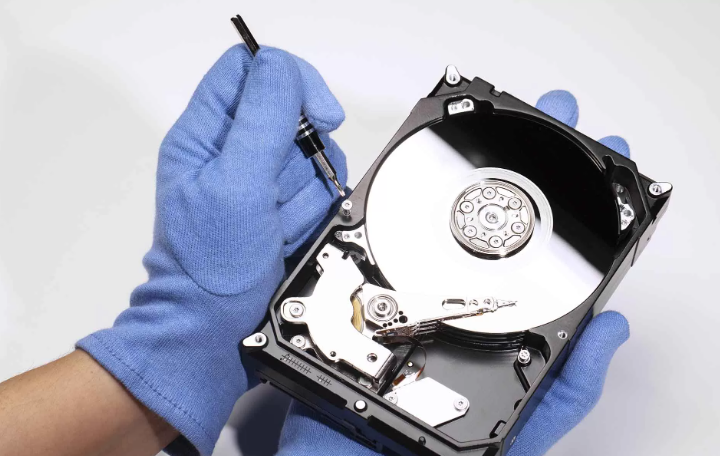
Trust Professional Services for Physical Damage: If your drive is making unusual noises (like clicking or grinding), has been physically damaged, or is not being detected by the computer, power it down immediately. These are signs of hardware failure, and using software could cause further damage. In such cases, consult a professional data recovery service.
Final Recommendations and Conclusion
Data loss does not have to be permanent. The sophisticated software available today offers a very strong chance of getting your files back.
For most users seeking a perfect balance of power and ease of use, EaseUS Data Recovery Wizard is the top recommendation.
If you are dealing with a severely corrupted or damaged drive, Stellar Data Recovery or Ontrack EasyRecovery are the more powerful alternatives.
If you need a quick, simple, and free solution for a recently deleted file, Recuva is an excellent first resort.
For a user-friendly experience with valuable extra data protection tools, Disk Drill is a fantastic choice.
Ultimately, the best long-term strategy against data loss is a consistent and verified backup routine. However, when the unexpected happens, having one of these reliable data recovery tools at your disposal is the next best line of defense.